
The Nalco Pen Fluorometer is a handheld fluorometer produced by Nalco Company for measuring the TRASAR contained in Nalco products in water samples.
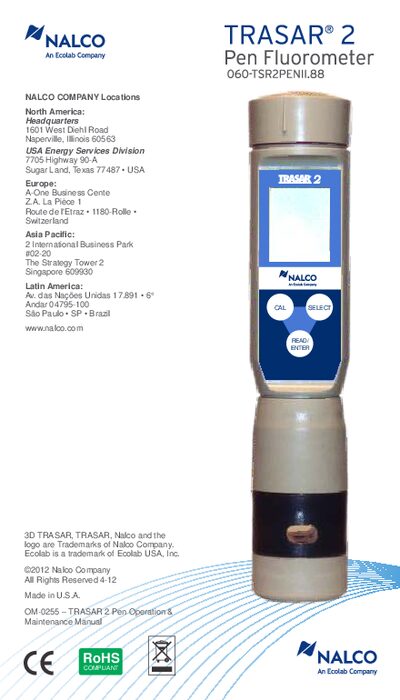
This manual describes the TRASAR® 2 Pen Fluorometer, a handheld, battery‑powered fluorometer for measuring TRASAR 2 water‑treatment products. It details the device’s hardware, function keys, LCD display, and the non‑replaceable probe tip.
The guide covers initial setup, two‑point calibration, measurement procedures, battery replacement, reactivation after 18 months, diagnostics, technical specifications, accessories, warranty information, and safety measures.
| Measurement range | 0‑9999 ppm |
|---|---|
| Measurement resolution | 0.1 ppm |
| Relative accuracy | ±5 % of reading |
| Temperature measurement range | 5.0 °C to 50.0 °C |
| Enclosure rating | Waterproof (IP 67) |
| Dimensions (fluorometer) | 18 cm length × 4 cm diameter |
| Weight (fluorometer) | 149 g (5.25 oz) |
| Power requirement | 4 × 1.55 V silver‑oxide batteries |
| Battery life | ≈ 1000 readings |
| Display | Dual‑panel LCD, 4 digits per panel |
| EMC compliance | EN 61326 |
| Operating temperature range | 5 °C to 50 °C |
| Maximum altitude | 2000 m |
| Maximum relative humidity | 95 % non‑condensing |
| Certifications | CE, RoHS, WEEE, BD18 |
Press the CAL button to start a two‑point calibration, follow the prompts to add distilled water, then add the calibration standard and press READ/ENT within the time limits.
Replace the four 1.55 V silver‑oxide batteries with fresh ones, ensuring correct polarity, and reseal the battery compartment.
Press READ/ENTER, note the displayed serial and reactivation numbers, call the Equipment Help Desk for a 4‑character password, then enter the password using SELECT and READ/ENT.
The display shows three bars for full charge, two bars for intermediate, and one flashing bar indicating the batteries should be replaced soon.