
This document introduces the technical specifications and precautions for the DVR-300D/DVC and DVR-630D/DVC LED lights produced by FalconEyes. The specifications of the LED lights include the number of LED bulbs, power, color temperature, voltage, lux, dimensions, and weight. The precautions include not plugging/unplugging when the power is on, not disassembling the unit without professional knowledge, keeping the environment dry and well-ventilated, and avoiding scratches from hard objects.
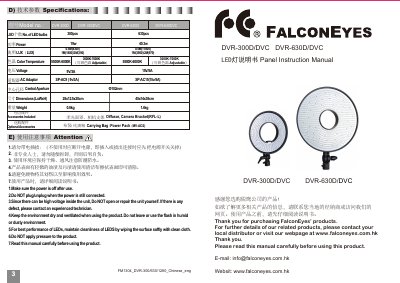
The FalconEyes DVR series LED panels feature a unique ring structure suitable for single light shooting, offering effects such as shadowless lighting and eye illumination. The series includes models with adjustable color temperatures ranging from 3000K to 7000K and fixed color temperatures, designed for stable circuitry and energy efficiency.
The manual details the product overview, panel diagram, and operating instructions. Users can adjust the power output and color temperature by manipulating the white and yellow LED control dials on the rear panel. Safety warnings advise against opening the unit due to high voltage and recommend keeping the environment dry and ventilated.
| Dimensions (DVR-630D) | 45x14x38cm |
|---|
Turn the yellow LED knob to the right for full power and the white LED knob to the left for minimum output.
Turn the white LED knob to the right for full power and the yellow LED knob to the left for minimum output.