
This document describes the features and characteristics of the Hi-Fi RIM Remote Input Module, which allows any source from anywhere in the house to be listened to in any or all zones. It also has an IR emitter port for routed IR commands from the VSC. By connecting to the HAI controller, users can select zones and sources, control volume and power through an OmniTouch touchscreen or controller program. The document also explains the volume-source control feature of Hi-Fi and the recommended connection methods.
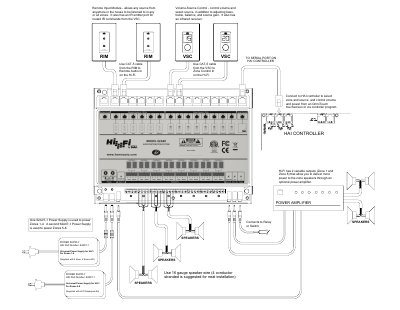
The Hi-Fi RIM Remote Input Module allows audio sources from anywhere in the house to be listened to in any or all zones. It features an IR emitter port for routed IR commands from the VSC and connects to the HAI controller for zone and source selection, volume control, and power management. The module supports control via an OmniTouch touchscreen or a controller program.
It allows any source from anywhere in the house to be listened to in any or all zones.
You must use a CAT-5 cable to connect the RIM to the Remote Audio In on the Hi-Fi.
The manual suggests using 16 gauge speaker wire for neat installation.