
The TC1 temperature control console is an instrument used for temperature control, which features easy operation, precise control, and wide applicability.
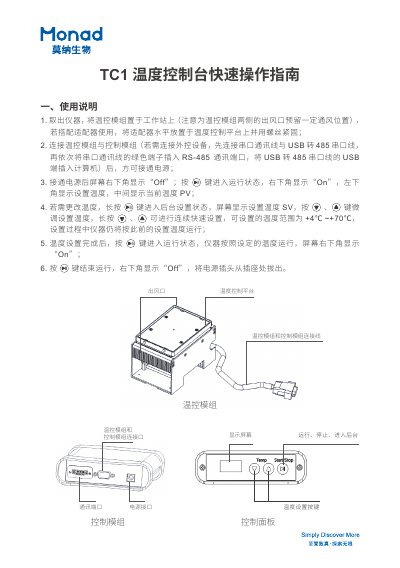
The document provides instructions on setting up the Monad Biotech TC1 Temperature Control Console. It details how to place the instrument on a workstation with proper ventilation, connect the control module and optional external devices via RS-485 or USB, and power on the unit.
Once powered on, users can operate the console using the front panel buttons. The guide explains how to enter run mode, adjust the set temperature (range +4°C to +70°C), and stop the operation by disconnecting the power. This manual is written in Chinese.
The instrument allows temperature settings from +4°C to +70°C.
You must connect the serial communication cable and the USB-to-485 serial cable to the appropriate ports first.
The adapter must be placed horizontally on the temperature control platform and secured with screws.