
This document describes the usage instructions and features of the N.S Audio and Video Converter. It can wirelessly transmit audio from the N.S console to Bluetooth headsets/speakers and support HDMI video output from the N.S console. Additionally, it supports fast charging of the N.S console through the TYPE-C/PD protocol. The product is small in size, easy to use, and can connect a single or two Bluetooth headsets simultaneously.
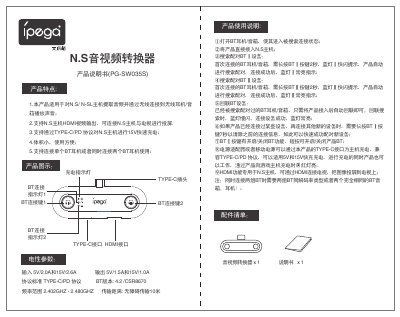
The N.S PG-SW035S Audio and Video Converter is designed to extract audio from an N.S or N-SL console and transmit it wirelessly to Bluetooth headsets or speakers. It also supports HDMI video output to project the game screen onto a TV.
The device features dual Bluetooth connections, allowing users to pair one headset for themselves and another for a friend simultaneously. Additionally, it includes a Type-C interface compatible with PD protocols (5V/15V) to charge the console while in use.
| Input Voltage/Current | 5V/2.0A and 15V/2.6A |
|---|---|
| Output Voltage/Current | 5V/1.5A and 15V/1.0A |
| Protocol Standard | TYPE-C/PD protocol |
| Bluetooth Version | 4.2 /CSR8670 |
| Frequency Range | 2.402GHZ-2.480GHZ |
| Transmission Distance | 10 meters barrier-free transmission |
Press and hold the BT connection button for 2 seconds until the blue light flashes quickly; the product will automatically search for pairing.
Simply connect the product to the console; the blue light will flash slowly during the search and stay on once connected.
Press and hold the BT button for 7 seconds to clear the previous connection information.
Yes, you can charge the N.S console through the Type-C interface while the product works; a red light indicates charging.