
TUBE ULTRAGAIN MIC100 user manual, introduces the product's safety instructions, product features, design concepts and other information.
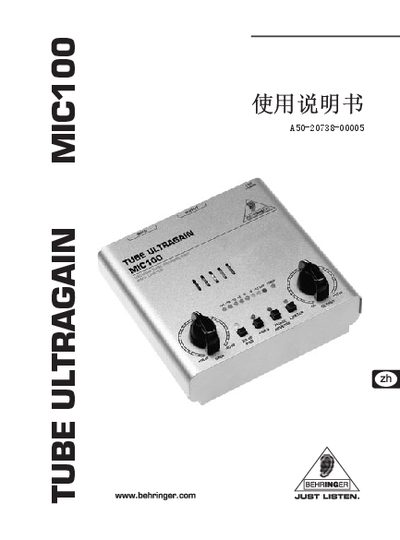
This manual begins with important safety information, warning users not to open the chassis, keep the unit away from water, ensure proper grounding and only allow qualified service personnel to perform repairs. It also explains power‑supply requirements for different regions and the need to register the product for warranty service.
The following sections describe the front‑panel controls (gain, PAD, phantom power, limiter, phase reverse), the rear‑panel connectors (XLR, 6.3 mm balanced/unbalanced inputs and outputs), wiring examples for live‑sound and studio use, and the full technical data sheet covering input/output impedances, frequency response, gain ranges and power specifications. This manual is written in Chinese.
| Microphone input impedance | ≈ 2 kΩ |
|---|---|
| Maximum microphone input level | +7 dBu (with -20 dB PAD) |
| Line input impedance | ≈ 1 MΩ |
| Maximum line input level | +16 dBu (with -20 dB PAD) |
| Output impedance (balanced) | ≈ 700 Ω |
| Maximum output level | +26 dBu @ 100 kΩ |
| Frequency response (mic input) | <10 Hz – 43 kHz (±3 dB) |
| Frequency response (line input) | <10 Hz – 40 kHz (±3 dB) |
| Gain control range | +26 dB to +60 dB |
| Output level control range | -∞ dB to +10 dB |
| Power supply (US/Canada) | 120 V AC, 60 Hz |
| Dimensions (H × W × D) | ≈ 64 mm × 135 mm × 135 mm |
| Weight (without power adapter) | 0.5 kg |
Press the +48 V switch; this supplies phantom power to the XLR input.
Press the 20 dB PAD switch; it attenuates the input signal by 20 dB.
Do not open the chassis, keep the unit away from water, ensure proper grounding, and have only qualified technicians perform repairs.