
This is an instruction manual, which introduces the assembly method of Panasonic SC-HTB20 home theater audio system.
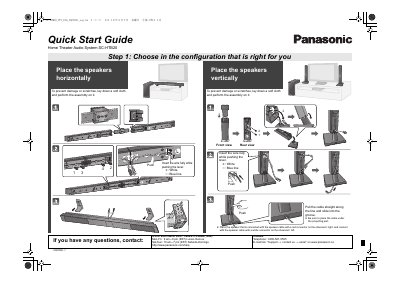
This guide provides instructions for the initial setup of the Panasonic SC-HTB20 Home Theater Audio System. It details how to lay down a soft cloth for assembly and how to position the speakers horizontally or vertically to prevent damage. The guide explains connecting the speaker cables, noting that the red connector goes on the observer's right and the white connector on the left.
| Product Name | Home Theater Audio System |
|---|
Place the speakers horizontally or vertically on a soft cloth to prevent damage or scratches.
Insert the wire fully while pushing the lever, ensuring the red connector is on the observer's right and the white connector is on the left.