
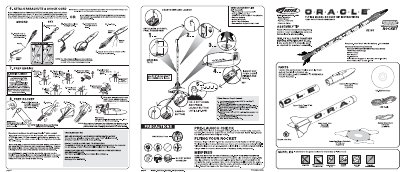
This manual provides instructions for the Estes PEE Oracle, a model rocket kit that includes an integrated digital video nose cone. The document covers safety precautions, required supplies like batteries and engines, and step-by-step assembly procedures including attaching the parachute and shock cord.
The guide details the software installation process on Windows systems (WIN98/2000/NT/ME/XP) and explains how to test the video camera before launch. It also includes specific instructions for countdown sequences, launching using a safety key, and troubleshooting common issues such as misfires or battery problems.
| Battery Type | One "AAA" alkaline battery |
|---|---|
| Video Duration | Approximately 30 seconds |
| Operating System | Microsoft WIN98/2000/NT/ME/XP |
| Memory Requirement | 32 MB memory |
Replace the battery with a new "AAA" alkaline battery or check that it is installed correctly.
Wait for the green LED to stop blinking before launching to capture liftoff, or launch before it stops to capture recovery.