
This quick user guide provides instructions on how to use the BRC2A71 controller. The BRC2A71 controller can be used to control Daikin multi-zone systems.
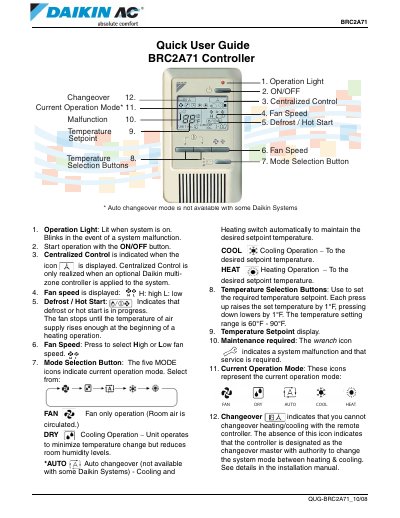
The document provides instructions for using the Daikin BRC2A71 remote controller. It details the function of various indicator lights and buttons, such as the Operation Light, ON/OFF button, Fan Speed buttons, and Mode Selection Button.
Users can select from five operation modes: FAN, DRY, AUTO, COOL, and HEAT. The guide also explains how to adjust the temperature setpoint between 60 °F and 90 °F using the Temperature Selection Buttons.
The light is lit when the system is on and blinks in the event of a system malfunction.
The temperature can be set between 60 °F and 90 °F.
It indicates a system malfunction and that service is required.