
This quick programming guide provides instructions on how to use the CS100 coffee machine. Users only need to make adjustments to the machine if they are using cups other than the 8 oz china / 9 oz paper cups for which the machine is already pre- programmed, or if they wish to adjust the coffee strength. This guide is designed to help users adjust the coffee strength, coffee volume, milk quantity and hot water quantity as needed.
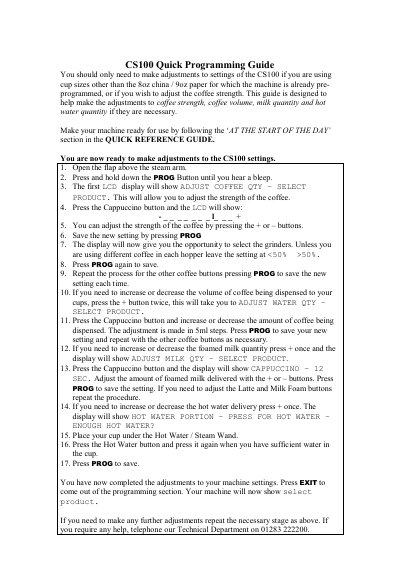
This document serves as a quick programming guide for the La Marzocco CS100 espresso machine. It is intended for users who need to adjust settings beyond the default configurations, such as when using cup sizes other than 80z china or 90z paper, or if they wish to modify coffee strength.
The guide provides step-by-step instructions on how to access the programming menu via the PROG button and LCD display. Users can adjust parameters including coffee strength (ADJUST COFFEE QTY), dispensed volume (ADJUST WATER QTY), foamed milk quantity (ADJUST MILK QTY), and hot water delivery (HOT WATER PORTION). The process involves selecting specific products, making adjustments with the + or - buttons, and saving settings by pressing PROG.
You should only make adjustments if you are using cup sizes other than the standard 80z china / 90z paper or if you wish to adjust the coffee strength.
Open the flap above the steam arm and press and hold down the PROG Button until you hear a bleep.
Press the PROG button to save your new setting.