
This document mainly introduces the features and characteristics of a certain brand and model product, such as the product's functions, performance, design, etc.
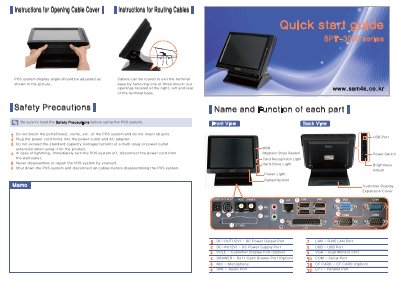
The manual outlines safety precautions for the SPT-3000 POS system, including warnings about port ventilation, power usage, and disassembly. It details the physical layout of the terminal base, identifying ports for power, LAN, USB, VGA, and optional accessories like cash drawers and magnetic stripe readers.
The guide provides step-by-step instructions for connecting external devices such as printers, speakers, and customer displays. It also explains how to adjust the touch screen coordinates using the PenMount Control Panel software if the touch function is distorted.
The display angle should be adjusted as shown in the picture provided in the manual.
The DC power supply port requires a voltage of 12V.
Open the PenMount Control Panel, select the device, click Advanced Calibration, and follow the screen instructions to touch the red square.