
This document is a manual for the Phantom Flex camera, which introduces the features, operation theory, setup and quick start, power and connectors, optics, on-camera controls, CineMag, Phantom software, CineStation, post flow and file formats, maintenance and troubleshooting, and FAQs of the camera.
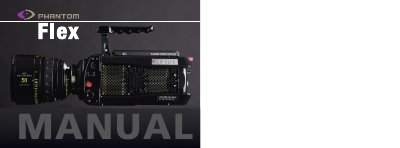
The Phantom Flex is a high-speed digital camera designed for capturing fast-moving events with unprecedented flexibility. It offers high sensitivity up to 1,000 ISO and supports resolutions up to 4-megapixel imaging. The camera utilizes a circular buffer system in RAM to allow recording before, during, or after an event, ensuring no data is missed.
| Max Frame Rate (1920x1080) | Up to 2,570 fps |
|---|---|
| ISO Sensitivity | 1,000 ISO |
| Video Ports | 2 x 4:2:2 HD-SDI |
| Pixel Depth | 12-bit |
| Shutter Speed | 1µs |
The camera supports up to 2,570 fps at 1920x1080 in Standard mode.
Images go straight to RAM which acts as a circular buffer, allowing the camera to record continuously and capture events before, during, or after the trigger.
Yes, the camera can output HD SDI to a tape or data recorder using the HD-SDI ports.