
This document is the user manual for 3M-50 thermostat. It introduces the basic operation methods and function introductions of the thermostat.
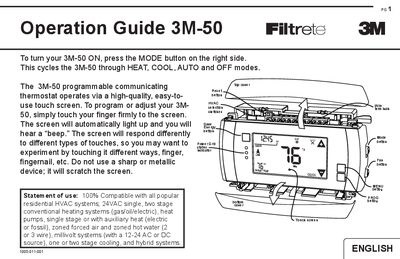
The 3M 3M-50 is a programmable communicating thermostat designed for residential HVAC systems. It features a high-quality touch screen interface that allows users to select modes such as HEAT, COOL, AUTO, and OFF by pressing the MODE button. The device supports various heating and cooling systems, including gas, oil, electric, heat pumps, and hybrid systems.
| Compatible Systems | 24VAC single, two stage conventional heating systems |
|---|---|
| Compatible Systems | heat pumps, single stage or with auxiliary heat |
| Compatible Systems | one or two stage cooling |
| Radio Ports | 2 RTM-1 radio ports |
| Compressor Protection | minimum cycle time of 4 minutes |
Press the MODE button on the right side to cycle through HEAT, COOL, AUTO and OFF modes.
Press and hold PROG for 10 seconds to access it, or press the PROG button after initial setup.
The TRUE AUTO mode switches automatically between heat and cool throughout the year based on programmed temperatures.
Press the RESET button to re-boot the processor without affecting stored user programs.