
Introduces the installation steps of Windows Vista 32 drivers for Agilent G2565CA Microarray Scanner and how to connect the scanner
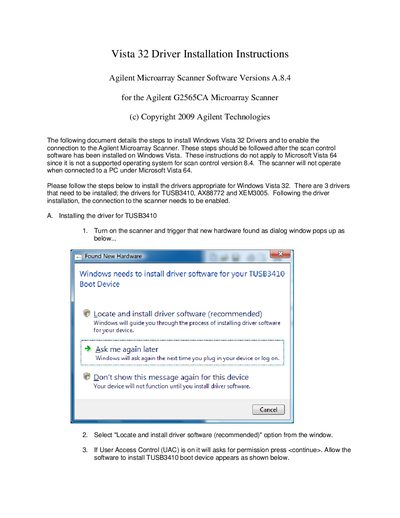
This document provides step-by-step instructions for installing three specific drivers required for the Agilent G2565CA Microarray Scanner on Windows Vista 32 operating systems. The supported drivers are for the TUSB3410, AX88772, and XEM3005 devices.
This document applies only to Windows Vista 32; it does not apply to Microsoft Vista 64.
The manual requires installing drivers for TUSB3410, AX88772, and XEM3005.
The user must browse to C:\Program Files\Agilent\Microarray\USBDrivers.