
This manual introduces the features and usage methods of the DECT2188 series telephone
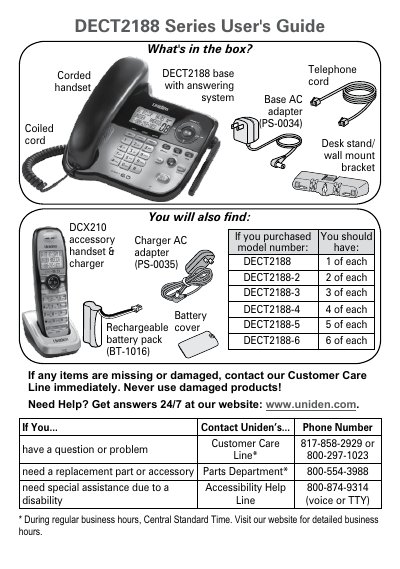
The document provides instructions for installing the Uniden DECT2188 base station on a desk or wall, connecting power and telephone lines, and setting up accessory handsets. It details how to install batteries in the handsets and charge them using the provided AC adapters.
The guide explains various features of the phone system, including speakerphone usage, call waiting, caller ID, privacy mode, conference calling, and the answering system. It also includes troubleshooting steps for audio issues, noise/static on the line, and resetting or registering handsets.
| Base AC Adapter Voltage | 7.8V |
|---|---|
| Handset Charger Voltage | 8V |
| Power Outlet Requirement | 120 V AC |
You must charge all handsets completely for about 15 hours before using them.
Press Menu/Select, highlight Global Setup, select Dial mode, and choose Pulse.