
This document provides information about the accessories and features of the DECT1480 series telephones. The series includes a base with an answering system and a cordless handset. Users can also purchase additional accessory handsets and chargers. If any accessories are missing or damaged, users are advised to contact customer care for replacements. The document also provides Uniden's contact phone number and website for assistance.
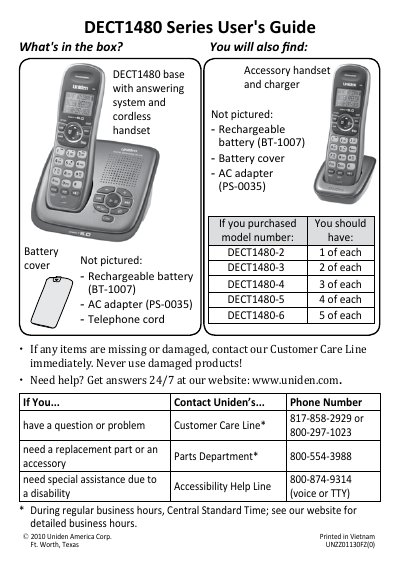
The Uniden DECT1480 Series is a cordless telephone system that includes a base unit, handsets, and an answering system. The manual covers initial setup steps such as charging batteries, connecting the telephone line, and pairing handsets to the base.
Key features include multi-handset operation, a built-in answering machine with voice message notification, and customizable settings like ringer tones and dialing modes (tone or pulse). The guide also details how to use special functions such as chain dialing, finding lost handsets, and personalizing greeting messages.
| Warranty Duration | 1 year limited warranty for original retail owner |
|---|---|
| Battery Charging Time | Approximately 15 hours full charge required before use |
The box includes the base system, accessory handset with answering and charger, and a cordless handset. Rechargeable batteries and AC adapters may be missing depending on the model.
You must charge all handsets completely for about 15 hours before using them to ensure proper battery life.
Yes, you can change the dial mode by opening the menu, selecting Global Setup, then Dial Mode, and choosing Pulse.