
This document describes the features and characteristics of the Uniden D3588 series telephone and its accessories, including a base with answering system, corded handset, wall/desk stand, accessory handset, and charger.
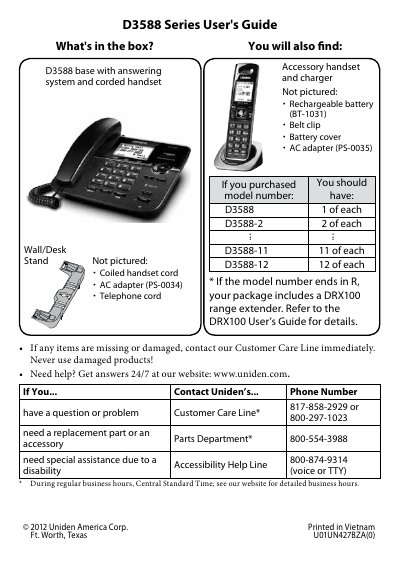
This manual provides instructions for setting up the Uniden D3588 cordless phone system, including attaching the stand, connecting power and telephone cords, and charging the batteries. It details how to configure the base for desktop or wall mounting and how to pair the system with mobile phones using the CellLink Bluetooth technology.
| Bluetooth Version | Bluetooth V2.1 |
|---|---|
| Bluetooth Range | 32 feet (10 m) |
| AC Adapter Voltage | 7.8V |
| Battery Charge Time | 15 hours |
| Bluetooth Pairing Limit | 4 phones |
The default PIN code to pair with the D3588 is 0000 (four zeroes).
You should charge all handsets completely for about 15 hours before using them.
Yes, it can save pairing information for four phones, but it can only use one cellular line at a time.