
This PDF file introduces the features and characteristics of the YDP-161 digital piano.
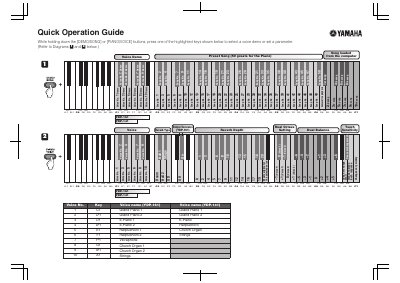
This document serves as a Quick Operation Guide for the Yamaha YDP-141 and YDP-161 digital pianos. It provides instructions on how to select voice demos and preset songs by holding specific buttons and pressing highlighted keys. The guide also details how to adjust parameters such as touch sensitivity, reverb depth, and metronome volume and tempo.
| Included Songs | 50 greats for the Piano |
|---|---|
| Pitch Adjustment Step | 0.2Hz steps |
While holding down the [DEMO/SONG] or [PIANO/VOICE] buttons, press one of the highlighted keys.
Hold the [METRONOME] button and press the highlighted keys to set the parameter.
Hold the [DEMO/SONG] and [PIANO/VOICE] buttons, then press [+ R], [- L], or both to adjust.