
This document is the instruction manual for how to install the accessory CD-ROM for CVP-210/208/206/204
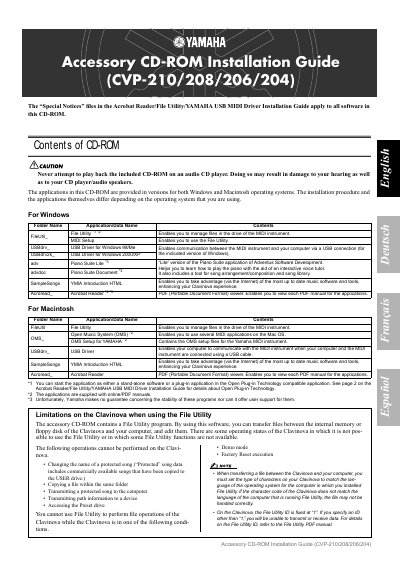
The document serves as an installation guide for the accessory CD-ROM provided with Yamaha Clavinova models CVP-210, CVP-208, CVP-206, and CVP-204. It details the contents of the disc, including File Utility, USB drivers, MIDI drivers, Piano Suite Lite, SampleSongs, and Acrobat Reader for both Windows and Macintosh operating systems.
| Supported Models | CVP-210/208/206/204 |
|---|---|
| Windows OS Support | Windows 98/98SE/Me/2000/XP Home Edition/XP Professional |
The applications are provided in versions for both Windows and Macintosh operating systems.
No, you should never attempt to do so as it may damage your hearing or the CD player/audio speakers.
It enables you to manage files in the drive of the MIDI instrument and transfer them between the internal memory or floppy disk and your computer.