
VWorks Software Quick Start Guide, introduces the workflow of using the software
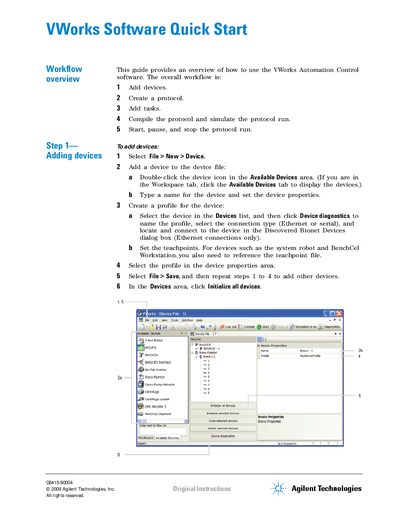
This document serves as a Quick Start Guide for the Agilent VWorks Automation Control software. It outlines the primary workflow for users to set up their automation systems efficiently.
The guide details five main steps: adding devices to the system, creating protocols with specific options like labware configuration and process parameters, adding tasks such as pipetting or dispensing, compiling and simulating the protocol to check for errors, and finally starting, pausing, or stopping live runs.
The workflow consists of adding devices, creating a protocol, adding tasks, compiling the protocol to simulate it, and then starting or pausing the run.
The workflow involves adding devices, creating a protocol, adding tasks, compiling and simulating the run, and finally starting, pausing, or stopping the protocol.
Select File > New > Device, then double-click an icon in the Available Devices area to name it and set its properties.