
EXS2 EXM2 Digital Camera User Documentation Files

This manual introduces the features and characteristics, operation methods and precautions of the EXS2_EXM2 product
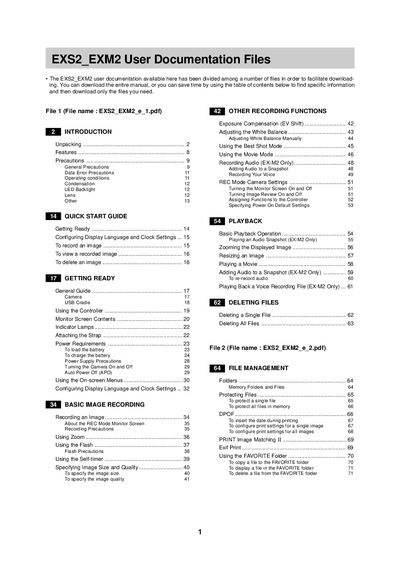

EXS2 EXM2 Digital Camera User Documentation Files - cover page
Brand
EXS2
Category
Digital cameras
Document type
User Manual
Language
English
Pages
2
File format
PDF
File size
13 KB
Published
06 June, 2012
Updated
30 September, 2023
MD5 checksum
5266A7D1B4047177DF0D36A4E79CA25A

About this manual

This document provides comprehensive user instructions for the EXS2 and EXM2 digital cameras. It covers essential topics including unpacking, general precautions, power requirements, and turning the device on and off. The guide details how to configure display settings, use zoom and flash functions, adjust exposure and white balance, and utilize various recording modes such as movie mode and best shot mode.

What's inside

  • Unpacking
  • General Precautions
  • Getting Ready
  • Basic Image Recording
  • Other Recording Functions
  • Playback
  • Deleting Files
  • File Management
  • Using a Memory Card
  • Specifications

Frequently asked questions

What is the maximum voltage for charging the camera's battery?

The manual states that the power supply must not exceed 250 V.

How do I transfer images from a memory card to a computer?

You can use the memory card to transfer images directly to a computer.

Download PDF (13 KB)