
EGE EX-S20/EX-M20 Digital Camera User Documentation Files

This document is the user manual for Canon EX-S20/EX-M20 digital camera, which introduces the camera's features, usage methods, precautions, etc.
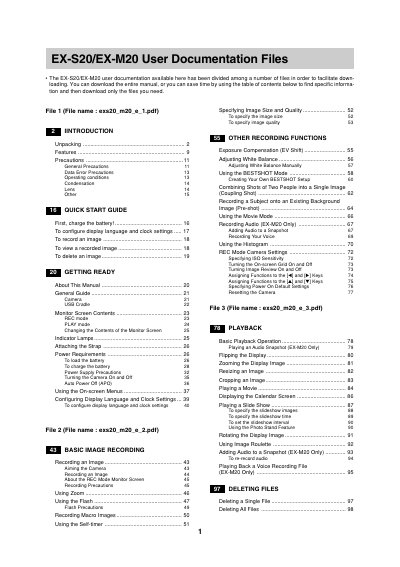

EGE EX-S20/EX-M20 Digital Camera User Documentation Files - cover page
Brand
EX-S20/EX-M20
Category
Digital cameras
Document type
User Manual
Language
English
Pages
2
File format
PDF
File size
29 KB
Published
06 June, 2012
Updated
30 September, 2023
MD5 checksum
C1953747212F59BA640D192A68B2BA7D

About this manual

This document serves as a complete user guide for the EGE EX-S20 and EX-M20 digital cameras. It provides instructions on unpacking, charging the battery, turning the camera on and off, and using the on-screen menus to configure settings such as display language, clock, and image quality.

What's inside

  • Unpacking
  • Features
  • Recording an Image
  • Using Zoom and Flash
  • Exposure Compensation and White Balance
  • Playback Operation
  • Deleting Files
  • File Management
  • Using a Memory Card
  • Viewing Images on a Computer

Frequently asked questions

How do I charge the battery?

The manual instructs users to 'First, charge the battery!' before using the camera.

Can this camera record audio?

Yes, but only for the EX-M20 model; recording audio is not available on the EX-S20.

Download PDF (29 KB)