
This document describes the steps for viewing and copying image files on a computer, as well as the requirement of installing USB driver.
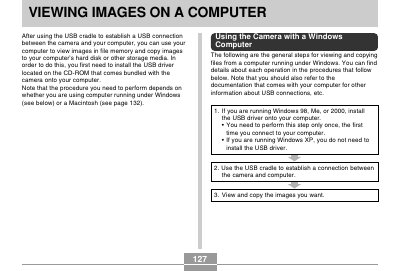
This manual explains how to establish a USB connection between a digital camera and a computer using the bundled USB cradle. It details the specific steps required for users running Windows (98, Me, 2000, XP) and Macintosh operating systems to install necessary drivers and access file memory.
| Battery Rated Capacitance | 680 mAh |
|---|---|
| Cradle Power Consumption | DC 5.3V Approximately 3.2W |
| AC Adaptor Input Requirement | 100 to 240V AC, 50/60Hz, 83mA |
| AC Adaptor Output | 5.3V DC, 650mA |
No, if you are running Windows XP, you do not need to install the USB driver.
No, never use your computer to edit, delete, move, or rename images stored in file memory as it can cause problems.
The camera supports Mac OS 9 and OS X (10.1, 10.2 or higher), but not Mac OS 8.6 or lower.