
This document is about the operating manual of digital camera
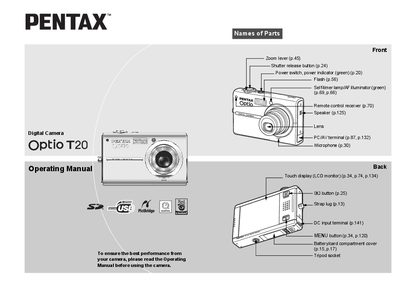
This document is the official operating manual for the Pentax Optio T20 digital camera. It provides comprehensive instructions on using the touch display interface, including single-touch selection, double-touch setting changes, and dragging functions to adjust menus and toolbars.
The guide covers essential operations such as taking still pictures and recording movies or sounds, adjusting exposure and white balance, and utilizing various shooting modes like continuous capture and self-timer. It also details how to play back, edit (resize, crop, add stamps), and delete media files stored on the SD Memory Card or built-in memory.
It is a digital camera.
Press and hold down the power switch to turn it on.