
This document is about the installation instructions of a product, including the unpacking of the product, the connection of power and the connection of peripherals
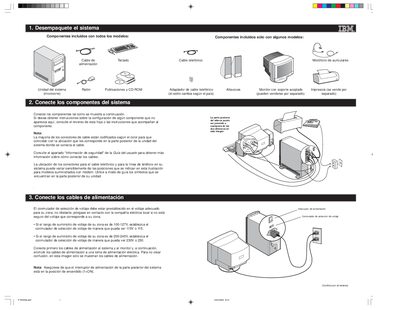
The guide walks you through unpacking the IBM system, connecting the keyboard, mouse, monitor, power cables and optional accessories. It explains the colour‑coded cable connectors and how to set the voltage selector for your local power range.
After the hardware is connected, the guide shows how to power on the system, accept software license agreements, install the supplied CD‑ROM software, and troubleshoot common issues. It also covers connecting additional components such as headsets and game controllers. This manual is written in Spanish.
| Voltage selector (100‑127 V supply) | Set to 115 V |
|---|---|
| Voltage selector (200‑240 V supply) | Set to 230 V |
| Power switch position | ON (1=ON) |
If your local supply is 100‑127 V, set the selector to show 115 V; if it is 200‑240 V, set it to show 230 V.
Turn off the system before connecting any components that are not plug‑and‑play.
Refer to the “Información de seguridad” section of the user guide for detailed safety instructions.