
This file introduces how to install the HP laptop
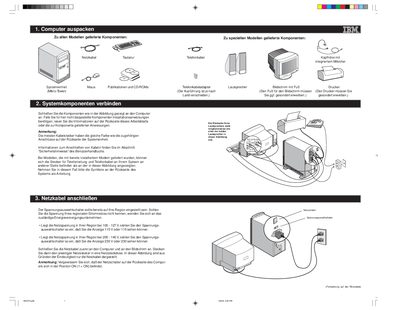
The guide walks you through connecting the computer's internal components, power cable, and optional peripherals such as a microphone‑headset, printer, and speakers. It also explains how to set the voltage selector switch for your regional mains voltage (115 V or 230 V) and verify that the power switch is in the ON position.
After the hardware is connected, you are instructed to power on the system, insert the software selection CD‑ROM, and follow the on‑screen prompts to install Windows 98 and additional programs. Troubleshooting and licensing information are referenced for further assistance. This manual is written in German.
| Operating system displayed after configuration | Windows 98 |
|---|