
The document titled Slimline Phone User's Guide is a guide for using Uniden Slimline phones. It includes information about the contents of the phone package, important safety precautions, and contact details for Uniden's customer support. It also provides information about obtaining parts and accessories, as well as special assistance for individuals with disabilities.
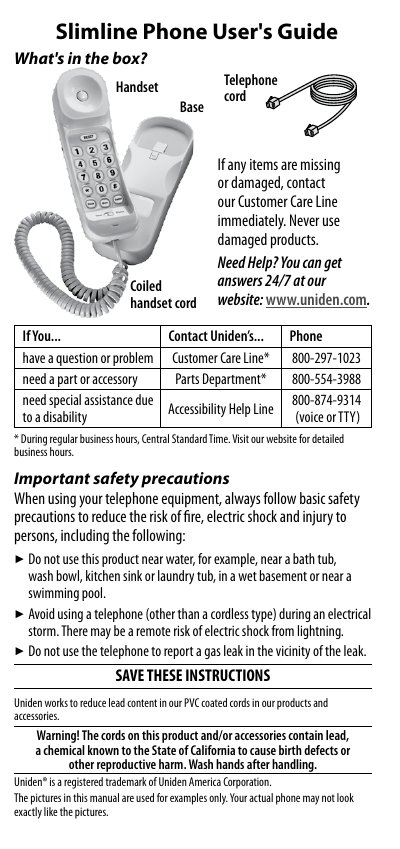
This guide explains what is included with the Slimline Phone, important safety precautions, and how to connect and test the handset. It also covers basic operation, volume control, call waiting, and wall‑mounting instructions.
Additional sections cover troubleshooting common problems such as static on the line, FCC and Industry Canada compliance, and the one‑year limited warranty with service contact information.
| FCC compliance | Part 68 |
|---|---|
| Industry Canada compliance | Terminal Equipment Technical Specifications |
| Ringer Equivalence Number (REN) | Part of product identifier (e.g., 1.8) |
Use the coiled cord to connect the handset to the base using the jack marked with the handset icon.
Install a DSL filter between the wall jack and the phone and then make a test call.
Switch the handset clip into wall‑mount mode, align the notches with the plate pins, and slide the phone down to lock it.