
This document is a BlackBerry smartphone user manual, which introduces the features and characteristics of the BlackBerry smartphone, such as how to move and hide icons.
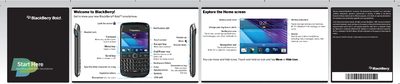
This manual introduces the BlackBerry Bold 9790, covering safety information, hardware overview, and initial setup steps such as inserting the battery, media card, and configuring your BlackBerry ID. It explains how to lock the screen, set a password, and import contacts.
The guide then details everyday use, including messaging, email, browsing, camera operation, media playback, and managing wireless connections like Wi‑Fi and Bluetooth. It also covers using BlackBerry App World, customizing wallpapers, and connecting the device to a computer with BlackBerry Desktop Software.
| Headset jack | present |
|---|---|
| Notification LED | present |
| USB port | present |
| Microphone | present (do not cover) |
| Battery power level indicator | present |
Press the a key on the top of the BlackBerry smartphone to lock the screen.
From the Home screen tap the Setup icon, then select the Password icon and follow the prompts to enable and set a password.
Tap the camera icon (or click the trackpad) to open the camera and press the capture button to take a picture.
Tap the Manage Connections icon and choose Wi‑Fi or Bluetooth to turn the connection on or off and configure settings.