
This document is the user manual for a certain brand of LCD Monitor.
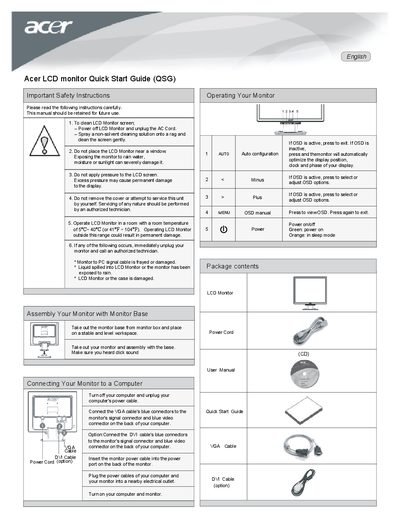
This Quick Start Guide provides essential safety instructions and basic operating steps for an Acer LCD monitor. It covers cleaning, placement, temperature limits, and what to do if the monitor is damaged or exposed to moisture.
The guide also details the package contents, how to assemble the monitor with its base, and how to connect it to a computer using VGA or DVI cables. Power‑on procedures and basic OSD navigation are included to help users get the display up and running quickly.
| Operating Temperature | 5°C ~ 40°C (41°F ~ 104°F) |
|---|
Power off the monitor, unplug the AC cord, spray a non‑solvent cleaning solution onto a rag, and gently wipe the screen.
Immediately unplug the monitor and contact an authorized technician.