
This document is an installation instruction for UFP-420
This guide explains how to install the Premier UFP‑420 mounting bracket on flat‑panel displays such as Westinghouse, ViewSonic, and Sony models. It lists the required hardware, including specific screws, flat washers, and nylon washers, and notes special spacer requirements for certain displays.
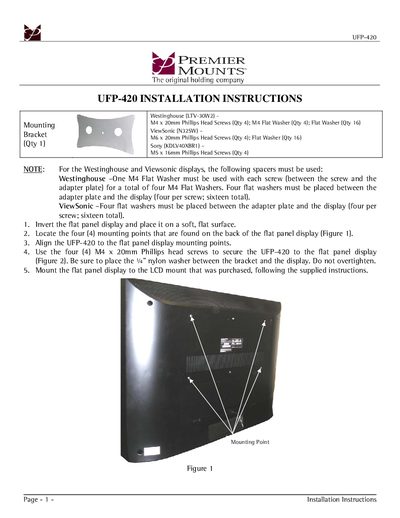
The installation steps cover inverting the display, locating mounting points, aligning the bracket, securing it with the correct screws and washers, and finally attaching the display to the purchased LCD mount. Figures illustrate the mounting points and the assembled bracket.
| Mounting screw size | M4 x 20mm Phillips Head Screw |
|---|---|
| Flat washer size | M4 Flat Washer |
| Total flat washers required | 16 flat washers |
| Nylon washer thickness | 4" Nylon Washer |
Four M4 × 20 mm Phillips head screws are used to secure the UFP‑420 to the flat‑panel display.
Four flat washers must be placed between the adapter plate and the display for each screw, totaling sixteen flat washers.