
This document is the installation manual for NETGEAR DGN1000 wireless router, which introduces the basic functions and installation methods of the router.
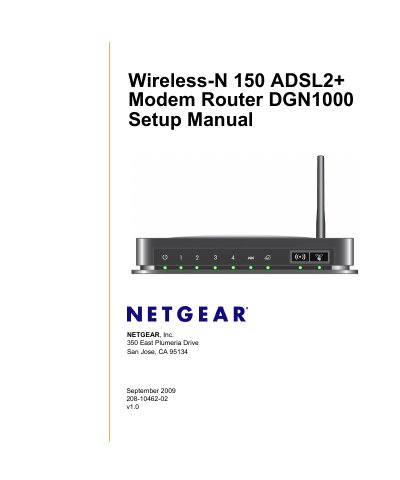
This manual guides you through unpacking, hardware overview, and positioning of the NETGEAR DGN1000 wireless‑N 150 ADSL2+ modem router. It explains the front and back panel LEDs, ports, and label information, and offers tips for optimal placement to maximize wireless coverage.
Installation options include the Smart Wizard on the supplied CD for an automated setup, or a manual configuration for advanced, Mac, and Linux users. The guide also covers ADSL microfilters, WAN/LAN connections, firmware upgrades, wireless security settings, WPS, and detailed troubleshooting procedures for power, LED indicators, ISP connection, and network issues.
| Network Protocols | TCP/IP, RIP‑1, RIP‑2, DHCP, PPPoE or PPPoA, RFC 1483, RFC 1577 |
|---|---|
| Power Adapter Input | North America 120 V / 60 Hz, UK/Australia 240 V / 50 Hz, Europe 230 V / 50 Hz |
| Power Adapter Output | 12 V AC @ 1.0 A |
| Physical Dimensions | 6.80" × 5.03" × 1.28" (172.7 mm × 127.7 mm × 32.5 mm) |
| Weight | 0.61 lb (0.275 kg) |
| Operating Temperature | 0 °C to 40 °C (32 °F to 104 °F) |
| Storage Temperature | -20 °C to 70 °C (-4 °F to 158 °F) |
| LAN Interface | 10BASE‑T or 100BASE‑Tx, RJ‑45 |
| WAN Interface | ADSL, Dual RJ‑11 (pins 2 and 3) |
Press the reset button for 6 seconds; the Power LED will blink red three times and then turn green as the router restores factory settings.
Open a web browser to http://www.routerlogin.net or http://www.routerlogin.com and log in with username admin and password password.
Insert the Resource CD, run the Smart Wizard, and follow the on‑screen steps to connect the router, microfilters, and PC, configure wireless settings, and enable security.