
This is a user manual for the D-Link 504T ADSL router
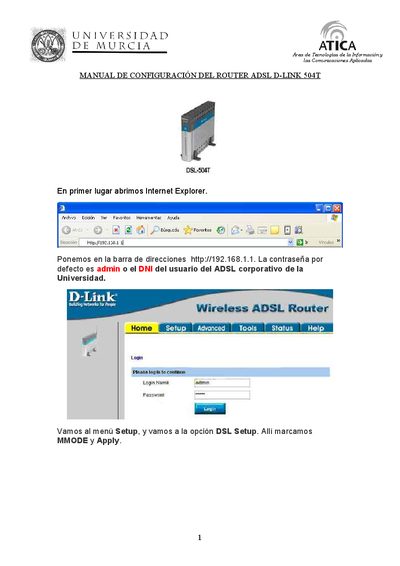
This manual explains how to access the D-Link 504T router via its web interface (default address http://192.168.1.1) and log in using the default credentials (admin or the university user DNI). It walks through the Setup menu, DSL configuration, and the PPPoE connection parameters required for Telefónica.
The document also describes the Tools > System Commands section, showing how to save the configuration, restart the gateway, restore factory defaults, update firmware, and run basic network tests such as ping and QAM. This manual is written in Spanish.
| Default IP address | 192.168.1.1 |
|---|---|
| Default username | admin |
| Default password | admin (or university DNI) |
| Connection type | PPPoE |
The router can be accessed at http://192.168.1.1.
Open Tools > System Commands and click "Save All".
The default username is admin and the password is admin or the university user’s DNI.
VPI should be set to 8 and VCI to 32.