
This document introduces the stand-alone M/GE-PSW-xX-01 media converters, which allow integrating fiber optic cable to 10/100/1000 Unshielded Twisted Pair (UTP) environments while providing a space-saving alternative to traditional sized media converters.
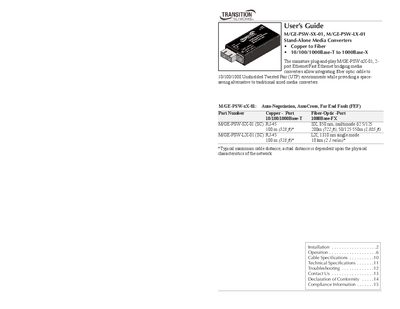
This guide explains how to install and operate the M/GE-PSW‑SX‑01 and M/GE-PSW‑LX‑01 stand‑alone media converters, which bridge copper Ethernet (10/100/1000Base‑T) to fiber (1000Base‑X) in a plug‑and‑play form factor. It covers key features such as Auto‑Negotiation, AutoCross, Far End Fault detection, and link‑pass‑through.
The manual details front‑panel LEDs, power requirements, cable specifications for both copper and fiber, technical specifications, troubleshooting steps, and regulatory compliance. Contact information for technical support and warranty details are also provided.
| Data rate | 10 Mb/s, 100 Mb/s, 1000 Mb/s |
|---|---|
| Dimensions | 1.8"W x 3.35"D x 0.85"H (45.7 x 83.1 x 21.6 mm) |
| Weight | 3.15 oz (127.5 g) |
| MTBF | 24,466 hours |
| Power source | 5 V to 28 V DC |
| Power consumption | 262 mA @ 12 VDC, 3.15 W |
| Operating temperature | 0 °C to 50 °C (32 °F to 122 °F) |
| Storage temperature | -25 °C to 65 °C (-13 °F to 149 °F) |
| Humidity range | 5 % to 95 % non‑condensing |
| Warranty | Lifetime |
Locate an IEEE 803.2‑compliant 1000Base‑X fiber cable with male TX and RX connectors, then connect the male TX connector to the female TX port and the male RX connector to the female RX port on the media converter.
AutoCross automatically detects whether a copper cable is straight‑through (MDI) or crossover (MDI‑X) and configures the converter to link up without manual crossover cables.
Connect a DC power adapter (5 V‑28 V) to the barrel connector on the rear panel; the power LED will illuminate when the unit is powered.
The Fiber‑Link/Act LED turns green when a fiber link is established (flashing indicates activity); the TP‑Link/Act LED does the same for the copper link; the Power LED turns green when the unit is powered.