
This document describes the features and characteristics of the SpacePilot™ PRO product. It is a 3D workflow assistant with an LCD display, intelligent function keys, and standard 3D mouse keys. It uses 6DoF technology to enable rotation, panning, and zooming. Additionally, it has quickview navigation keys, navigation setting keys, and LCD control keys. The product is designed for desktop setup and can be updated through registration.
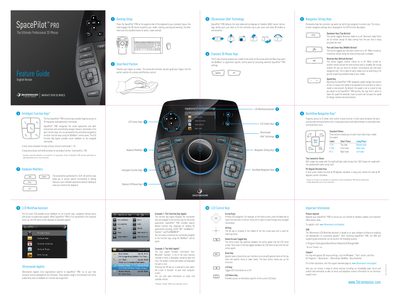
The guide describes how to place the SpacePilot PRO on the desk opposite the keyboard, use its six‑degrees‑of‑freedom sensor, and operate the five dual‑function keys for common commands. It explains the dominant, pan/zoom, rotation, and speed keys, as well as the LCD function‑key applet that provides visual feedback.
Additional sections cover hand positioning, keyboard modifiers, view selection (up to 32 views), and how to customize key assignments via the 3DxWare control panel. Support information and links to software updates are also provided.
| Degrees of freedom | 6 |
|---|---|
| Number of views | 32 |
| Function keys | 5 |
Press the dominant key (top button) to turn dominant mode on or off; it filters motion to the most‑actuated axis.
Use the function keys: a short press activates a primary view and a long press activates its secondary view, giving access to up to 32 views.
Press the Speed Key to increase or decrease the navigation speed, changing the force needed to move the model.