
The document mainly introduces the features and characteristics of the product, including its functions, performance, design, etc.
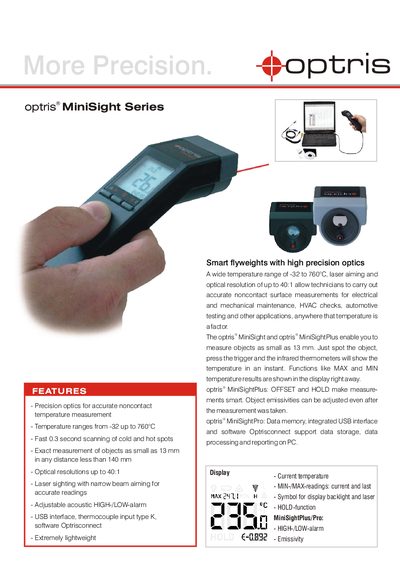
The Optris MiniSight series offers precision optics for accurate non‑contact temperature measurement, covering a range from –32 °C up to 760 °C. Its fast 0.3 s scanning, laser sighting and high optical resolution make it suitable for HVAC checks, electrical maintenance, automotive testing and other applications where temperature is critical.
Three variants are available: MiniSight (‑32 °C to 420 °C), MiniSightPlus (‑32 °C to 530 °C) and MiniSightPro (‑32 °C to 760 °C). All models feature USB connectivity with Optrisconnect software, adjustable high/low acoustic alarms, emissivity settings, and optional data‑memory functions for extended reporting.
| Temperature range (MiniSightPro) | -32 °C to 760 °C |
|---|---|
| System accuracy (MiniSightPro) | +1 % or +1 °C from 0 °C to 760 °C |
| Optical resolution (D:S) | 40:1, 50 mm @ 2000 mm |
| Spot size | 13 mm |
| Weight / dimensions | 180 g, 190 × 38 × 45 mm |
| Battery life (laser on, 50 % backlight) | 20 hours |
| Emissivity (fixed) | 0.95 |
| PC interface | USB interface, Optrisconnect software |
The MiniSightPro measures temperatures from –32 °C up to 760 °C.
It scans cold and hot spots in about 0.3 seconds.
The battery lasts approximately 20 hours under those conditions.