
This manual introduces the hardware features of Tinyboards from Bluetechnix EXT-BF548-EXP
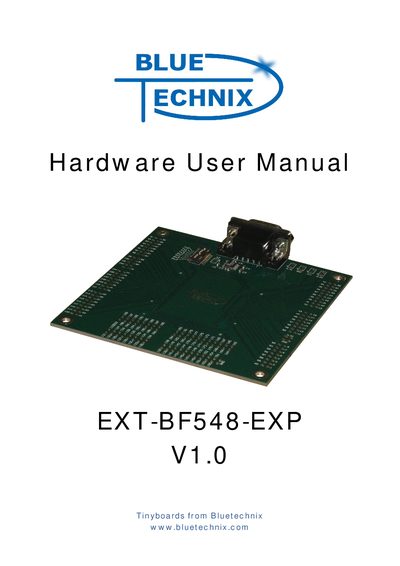
The EXT-BF548-EXP board is an extender plug‑on board designed for use with the DEV‑BF548‑Lite and DEV‑BF548DA‑Lite development boards. It offers a compact layout with multiple 2.54 mm pitch solder holes, two 60‑pin connectors, and a variety of I/O options.
Key features include a SUB‑D9 UART connector with an ADM3202 1 Mbps RS‑232 transceiver, an 8‑bit DIP‑switch for UART multiplexing, 200 expansion pads that map directly to the CM‑BF548 core module pins, and 8 dedicated power pads. The manual also covers switch settings to ensure proper UART routing and provides schematic and mechanical outlines.
| Solder holes (pitch) | 30 x 2.54 mm |
|---|---|
| Connector A | 60‑pin |
| Connector B | 60‑pin |
| UART connector | 1 SUB‑D9 |
| RS232 transceiver | ADM3202 1 Mbps |
| DIP Switch | 8‑bit |
| Expansion pads | 200 |
| Power pads | 8 |
It is an extender plug‑on board for the DEV‑BF548‑Lite and DEV‑BF548DA‑Lite development boards.
The board provides 200 expansion pads.
It includes a SUB‑D9 UART connector and an ADM3202 1 Mbps RS‑232 transceiver.
Switch S1 must be positioned correctly to avoid routing UART0 or UART1 to the USB‑UART bridge and the ADM3202.