
S5-PCLink is an Ethernet gateway for Siemens S5 controllers, supporting multiple protocols and software. It can be directly plugged into the PG port of the S5 and is powered by the +24V of the S5 PLC. If the S5 PLC does not have +24V, it can be externally powered. S5-PCLink has LED indicators for network connection status and PLC communication status.
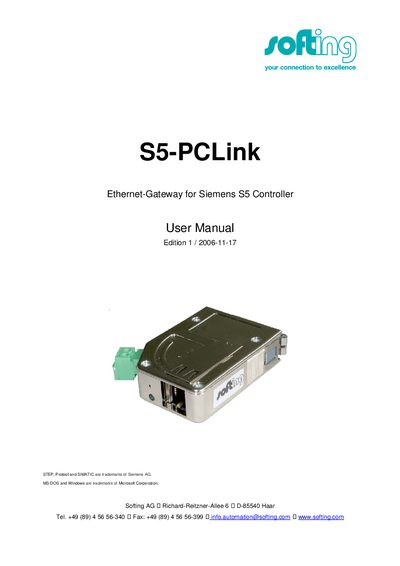
The S5‑PCLink Ethernet‑Gateway plugs directly into the PG‑Port of a Siemens S5 PLC and can be powered from the PLC's +24 V supply or an external 24 V source. LED indicators show network link status and PLC communication state.
The manual details the three supported communication protocols (S5‑LAN‑LINK, H1‑ISO‑on‑TCP (RFC1004) and VIPA‑S5‑TCP), configuration of IP settings, DHCP options, and the TCP/IP ports used for programming (S5‑PG‑Port 10010) and protocol services (S5‑Server‑Port 102).
| Power Supply | +24 V from S5 PLC or external 24 V |
|---|---|
| Network Link LED | Off = no network, On = connected (flashing when transferring) |
| PLC Communication LED | Off = module off/start‑up, On = PLC online, flashing = searching |
| Default IP Address | 192.168.0.80 (example) |
It draws +24 V from the S5 PLC, or can be powered externally via the green plug.
One LED shows network link status (off = no network, on = connected, flashing when data is transferred); the round LED shows PLC communication (off = off/start‑up, on = PLC online, flashing when searching).
Yes, if DHCP/AutoIP is enabled the module searches for a DHCP server; otherwise you can set a static IP address.