
This document is a quick start guide for Freescale Proximity Sensor products, which explains how to download and install the KITMC33941EVM windows application and set up the hardware. The document also provides a solution for when the COM port cannot be auto-detected.
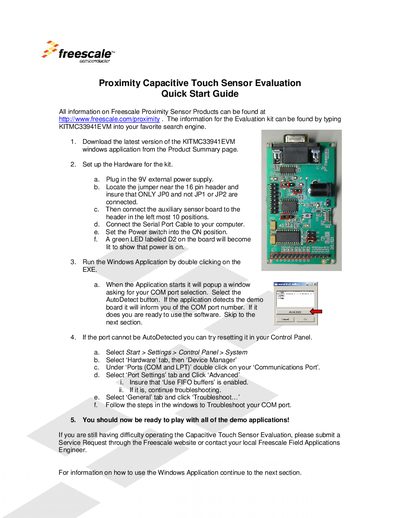
The KITMC33941 Evaluation Kit provides a platform for testing Freescale's proximity capacitive touch sensors. It includes a sensor board with five buttons, two sliders, an encoder and a proximity pad, and a Windows application for interfacing with the hardware.
The guide walks you through connecting the 9 V power supply, configuring the jumper (JPO), attaching the sensor board, selecting the COM port (AutoDetect or manual selection), running the application, and calibrating the sensors using the Options menu. Troubleshooting steps for COM‑port issues and further usage tips are also provided.
| Power supply | 9 V external |
|---|---|
| Jumper setting | JPO (only) |
| Number of buttons | 5 |
| Number of sliders | 2 |
| Encoder electrodes | 4 |
| Proximity pad display range | 0‑256 (8‑bit) |
Press the AutoDetect button in the application or choose a COM port manually via Options > Serial Port.
Use Options > Calibrate Now, or enable AutoCalibrate in the Options menu.
A 9 V external power supply must be connected to the board.
Only the JPO jumper should be connected; JP1 and JP2 must remain unconnected.