
This document describes how to use the MultiChoice remote control to learn other remote control functions, including how to set the remote control mode, learn remote control buttons, and end the learning process.
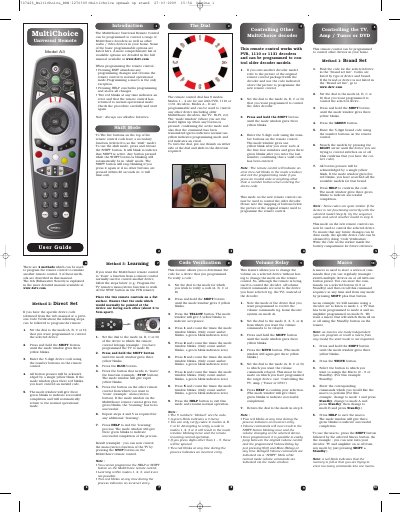
The MultiChoice A3 universal remote can be programmed to control a range of MultiChoice decoders as well as other audio/video devices. It offers several programming methods, including learning functions from other remotes, direct code entry, and brand‑set lists.
The manual explains how to use the SHIFT button, set the mode dial, enter device codes, create macros, verify codes, and relay volume commands. It also lists error indications and battery requirements.
| Number of modes | 8 |
|---|---|
| Battery type | Alkaline |
| Error indication | Two red blinks |
Set the dial to the desired mode, press and hold SHIFT until three yellow blinks appear, then enter the 5‑digit device code with the number buttons. The remote acknowledges each press with a yellow blink and confirms success with three green blinks.
Select the target mode, press and hold SHIFT until three yellow blinks, press BLUE, then press the button to be learned followed by the corresponding button on the other remote. Two green blinks indicate a successful learning.
Set the dial to the mode you wish to verify, press and hold SHIFT until three yellow blinks, press the YELLOW button, then press numbers 1‑5 to count the amber blinks; a green blink represents zero. Press HELP to exit.