
Describes the features and capabilities of Contec Checkmate V Model RT-U50 remote control
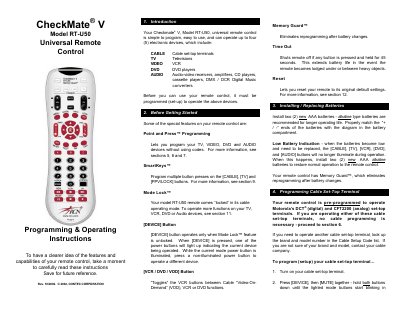
This guide introduces the CheckMate RT‑U50 universal remote, which can control up to four (5) electronic devices such as TV, cable set‑top boxes, VCR/DVD players and audio equipment. It covers special features like Point and Press™ programming, SmartKeys™, Mode Lock™ and Memory Guard™.
The manual provides step‑by‑step instructions for battery replacement, device programming, volume control settings, SmartKey configuration, code read‑back, unlocking Mode Lock, and resetting the remote to factory defaults. Troubleshooting tips and a comprehensive list of cable and device setup codes are also included.
| Battery type | AAA alkaline |
|---|---|
| Number of controllable devices | up to four (5) |
| Programming method | Point and Press™ |
Press [OK /SEL] and [LAST] together and hold until the mode buttons blink twice; the remote returns to its original defaults.
Open the battery compartment, insert two new AAA alkaline batteries matching the + / – polarity, and close the compartment.