
The GENIUS REMOTE CONTROL (CLU-615MP) is a remote control that can be used to control your HITACHI Projection TV, VCRs, CATV (cable TV)/satellite converters, and audio equipment. It is easy to use, with basic operation keys grouped together in one area and all other controls separated from them and arranged in MULTI-PAGE sections. Functions are arranged and properly categorized into windows, making operation simple when multiple functions are to be controlled.
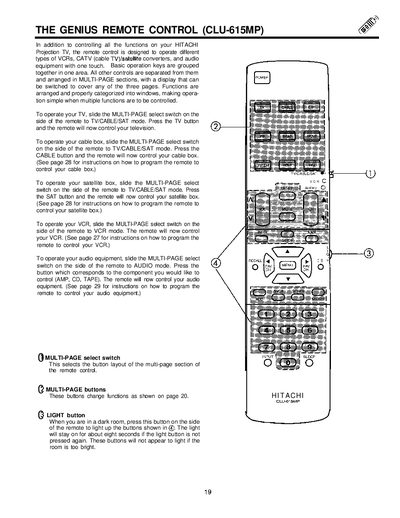
The Genius Remote Control (CLU-615MP) is designed to control a Hitachi projection TV and compatible devices such as VCRs, cable/satellite converters, and audio equipment. The remote features a MULTI-PAGE select switch that changes the button layout for TV, CABLE, SAT, VCR, and AUDIO modes, allowing easy access to the appropriate functions.
Detailed instructions cover basic operation of each mode, picture‑in‑picture (PIP) features, button functions like POWER, LIGHT, and MENU, as well as programming procedures for audio components and device codes for TV, cable, satellite, and VCR devices.
| Model | CLU-615MP |
|---|
Slide the MULTI‑PAGE select switch to TV/GABLE/SAT mode and press the TV button.
Set the MULTI‑PAGE select switch to AUDIO, turn on the component, hold its button, and enter the two‑digit preset code shown on page 30.
It illuminates the remote’s buttons for about eight seconds in a dark room.
Press the PIP button to toggle between SINGLE and SURF modes, then use the PIP CH button to select main or sub‑picture tuning.