
SiS RAID Utility for Windows XP/2000 is a tool for creating and managing SATA RAID arrays. The tool can create JBOD, RAID 0 and RAID 1 arrays.
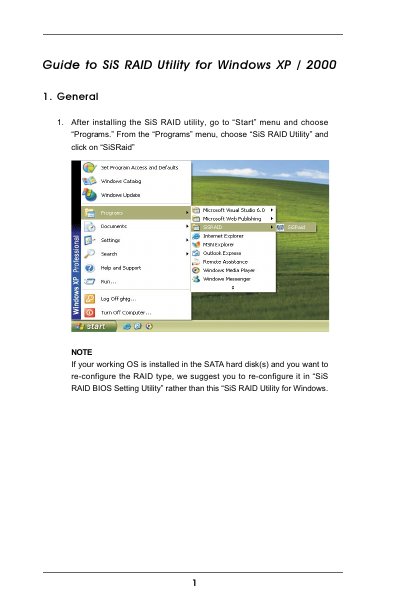
The SiS RAID Utility provides a graphical interface for creating, deleting, and recovering RAID arrays on Windows XP and Windows 2000 systems. It supports JBOD, RAID 0, and RAID 1 configurations and includes hot‑plug management for SATA devices.
The main window has two tabs – View and Configuration. The View tab shows controller and disk information, while the Configuration tab contains sub‑tabs for Create Raid, Delete Raid, and Raid Recovery. Users select RAID type, block size, mode type, and disks, then click Create to build the array. A Hot‑Plug Utility allows safe removal and re‑insertion of SATA drives.
| Supported RAID types | JBOD, RAID 0, RAID 1 |
|---|---|
| Block size options | 8k, 16k, 32k, 64k, 128k, 256k, 512k |
| Mode types | PIO, DMA |
| Hot‑Plug support limitation | Single SATA drive only |
Select the Create Raid tab, choose "RAID 0" as the Raid Type, set the desired block size and mode type, pick the disks, and click the Create button.
In the Hot‑Plug Utility, click the grid in front of “SATAx Safely Remove” and confirm with OK; otherwise data may be lost.
Yes, you should use the SiSRAID BIOS Setting Utility instead of the Windows utility to change the RAID type.