
This document is a user manual for a one-channel coaxial converter, providing instructions for product usage, troubleshooting, and technical specifications.
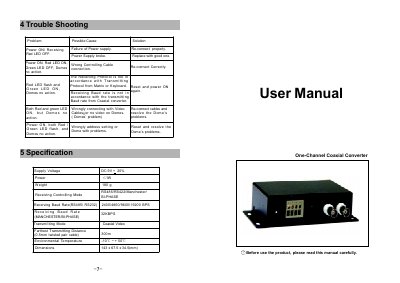
This manual describes the main features of the One-Channel Coaxial Converter, including its built‑in RS485/RS422, Manchester and BI‑Phase receiving interfaces and selectable protocols via DIP switches. It also details the front‑panel ports, power requirements, and dimensions of the device.
Installation instructions cover mounting, connecting power, video input/output, and controlling cables. The guide explains how to set the device address, protocol, and baud rate using DIP switches, how to adjust jumpers for different communication modes, and provides a troubleshooting table for LED indicators and common error conditions.
| Supply Voltage | DC 9V ±20% |
|---|---|
| Power Consumption | ≤1 W |
| Weight | 180 g |
| Receiving/Controlling Mode | RS485/RS422, Manchester, BI‑Phase |
| Receiving Baud Rate (RS485/RS232) | 2400/4800/9600/19200 bps |
| Receiving Baud Rate (Manchester/BI‑Phase) | 32 kbps |
| Transmitting Mode | Coaxial Video |
| Operating Temperature | -10 °C to +50 °C |
| Dimensions | 143 × 67.5 × 34.5 mm |
The red LED shows power and receiving status, while the green LED indicates that the device is transmitting a signal.
Set the desired protocol with bits 1‑6 of DIP switch SW2 and the baud rate with bits 7‑8, then power the unit off and on again for the changes to take effect.