
This sound level meter is the most simple to use, cost effective, compliant instrument of their kind. Ideal for quick, accurate measurements to IEC61672-1:2002 Class 2 (Class 1 also available). Choice of six user friendly instruments to suit your needs and budget. Only four buttons on basic unit. Unique ‘Exposure Table’ displayed after measurement. Automatic Calibration function. Automatically pre programmed for Industrial / Occupational Noise. Helpful on screen L ‘settled’indicator. Robust die cast case and large clear display. Essential information displayed on one screen. Effective LED mode indicator for C-A and Octave Band instruments. Compatible with the outstanding Pulsar Analyser software package. Aeq Overview. The Assessor Range of high performance instruments appeal to a user requiring an affordable, simple to use meter whilst complying with international standards. Using the Assessor instruments and optional Analyser software package noise measurement and risk assessments have never been quicker or easier. All unnecessary features and options are removed to leave the user with an instrument they can use with total confidence and the minimum of training. Making a measurement couldn’t be easier, simply switch the unit on and the Assessor starts measuring. To complete the measurement press the ‘Stop’button and everything needed for your assessment is displayed on one screen. A unique feature of the Assessor range is an exposure table, which shows the sound level and time of the measurement.
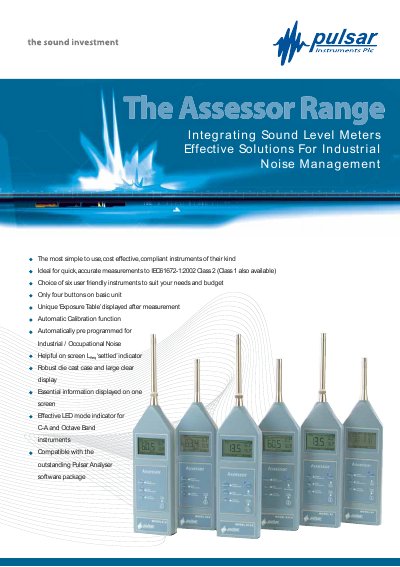
The Assessor range of sound level meters provides simple, cost‑effective instruments for industrial noise measurement, complying with IEC 61672‑1:2002 Class 1 and Class 2 standards. Each unit features only four buttons, an automatic calibration function, and a clear LCD that displays all essential information on one screen, including exposure tables and LED mode indicators.
The manual describes the various models (81A, 81CA, 82A, 82CA, 83, 84), their measurement capabilities, optional data‑logging upgrades, and the compatible Pulsar Analyser software for data download and reporting. It also lists accessories, measurement kits, and environmental specifications for reliable field use.
| Measurement Range | 57 dB(A) to 130 dB(A) |
|---|---|
| Frequency Weightings | Model 81A & 82A: dB(A) for Leq, dB(C) for Peak |
| Battery | 2 x AA (LR6) |
| Dimensions (Class 1) | 340 mm × 75 mm × 25 mm |
| Weight | 450 g |
| Operating Temperature | -10 °C to +50 °C |
Class 1 is offered on models 81A, 81CA and 83; Class 2 is offered on models 82A, 82CA and 84.
Each basic unit has only four buttons, each with a single labelled function.
The instruments are compatible with the Pulsar Analyser software package for data download and reporting.
Pressing the C‑A button switches the instrument to automatic C‑A mode, measuring both C‑weighted and A‑weighted Leq values and displaying the difference.