
This document is about the operation panel and parameter settings of a certain brand of electric meter. It introduces the function definition and display screen of the operation panel, as well as the operation mode and options of parameter settings.
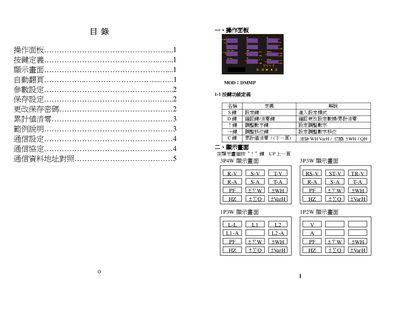
This manual describes the operation of the DMMP Power Meter, including the function of each key on the panel, how to adjust parameters such as PT and CT ratios, and how to reset cumulative values. It also explains the password protection feature and the steps required to change the default password.
The document details the Modbus RTU communication settings, covering baud‑rate options, data format, address configuration, and provides a table of register addresses for reading voltage, current, power and other measurements. Example configurations illustrate how to set up the meter for different system types (3P3W, 3P4W, etc.). This manual is written in Chinese.
| Supported baud rates | 1200, 2400, 4800, 9600, 19200, 38400 |
|---|---|
| Communication address range | 1‑255 |
| PT ratio value | 09999 |
| CT ratio value | 0.9999 |
Press the C key, which is defined as the cumulative‑value reset function.
The meter supports serial output rates of 1200, 2400, 4800, 9600, 19200 and 38400 baud.
The communication address can be set from 1 to 255.