
This document is the user manual of a mobile phone produced by TCT Mobile Limited. It introduces the functions and usage methods of the mobile phone.
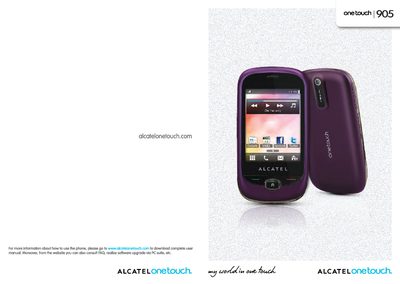
This manual guides users through the One Touch 905’s features, including the home screen layout, touchscreen navigation, and built‑in applications such as music, video, and messaging. It also covers essential safety information, battery handling, and regulatory compliance.
Detailed sections explain how to insert SIM cards, charge the battery, connect via Bluetooth and Wi‑Fi, and use dual‑SIM standby. The document includes troubleshooting tips, warranty details, and contact information for TCT Mobile support.
| Camera | 2.0 Megapixel |
|---|---|
| Bluetooth | Bluetooth 2.1 with A2DP profiles |
| Wi‑Fi | Wi‑Fi (1) |
| SIM Support | Dual SIM, two‑standby |
| Operating Temperature | -10 °C to +55 °C |
| Charger Temperature Range | 0 °C to 40 °C |
The phone supports two SIM cards with dual‑standby, allowing either one or both to be active simultaneously.
The device complies with the SAR limit of 2 W/kg for head exposure.
The charger should be used between 0 °C and 40 °C.