
This is an Android phone user manual
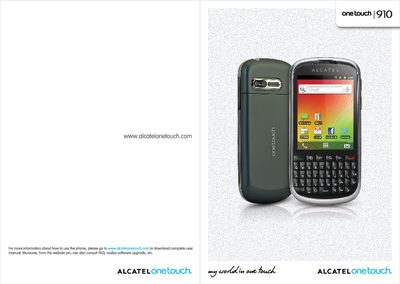
This manual explains how to get started with the Alcatel One Touch 910, covering safety information, key functions, navigation, and the built‑in Android applications such as messaging, web browsing, multimedia, and Google services. It also details how to connect the phone to networks, Bluetooth devices, USB, and Wi‑Fi, and includes troubleshooting tips.
The specification section lists the hardware components, network bands, sensors, battery, and accessories, while the safety chapter outlines SAR limits, handling precautions, and environmental disposal requirements.
| Processor | Qualcomm MSM7227-1 |
|---|---|
| Operating System | Android 2.3 |
| ROM | 4 GB |
| RAM | 2 GB |
| Dimensions | 119.5 × 58 × 12.43 mm |
| Weight | ≈120 g with battery |
| Display | 2.8‑inch TFT‑LCD, 240 × 320 pixels |
| UMTS Bands | Dual‑band 900/2100 MHz |
| GSM/EDGE Bands | Quad‑band 850/900/1800/1900 MHz |
| Bluetooth | Version 3.0 / A2DP |
| Wi‑Fi | IEEE 802.11 b/g/n |
| Camera | 5 MP rear camera |
| Battery | 1300 mAh Li‑ion |
| Memory Card Slot | MicroSD™ |
| Sensors | G‑sensor, Proximity sensor, Digital compass |
Charge the phone for at least three hours, avoid partial charges, turn off the backlight when not needed, and disable Bluetooth, Wi‑Fi or GPS when not in use.
The SAR limit for mobile devices is 2 W/kg; the maximum measured SAR for this model is 0.823 W/kg for head use and 0.789 W/kg for body‑worn use.
Turn on Bluetooth and make the phone visible, then ensure the other device is within range and also has Bluetooth enabled.