
AS808 wireless alarm installation and operating instructions
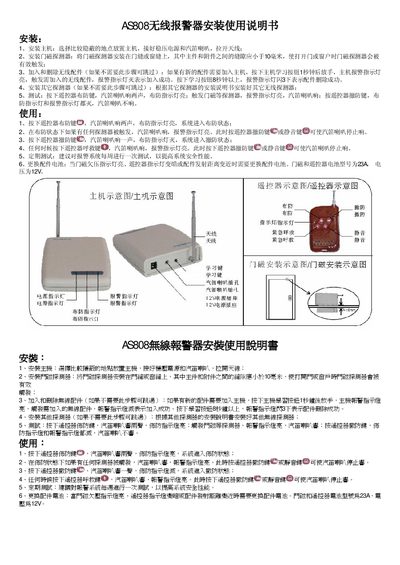
The manual explains how to install the main unit in a concealed location, connect a regulated 12 V power source, attach the external antenna, and mount door‑magnet sensors with a gap of less than 10 mm. It also describes adding or deleting wireless accessories by using the learning button on the main unit.
Operational instructions include arming the system with the remote control, testing the siren and indicator lights, disarming, and using the panic button. Regular testing is recommended, and battery replacement procedures are provided when low‑voltage indicators appear. This manual is written in Chinese.
| Battery model | 23A |
|---|---|
| Power supply voltage | 12 V |
Press the main unit’s learning button for 1 second, release it, then trigger the accessory; the alarm indicator will turn off when the addition is successful.
Hold the learning button for more than 8 seconds; the alarm indicator will flash three times to confirm deletion.