
User manual, which introduces the operation methods of the Platinum series multi-function copier, including safety information, component guide, basic operation, printing function, troubleshooting and other contents.
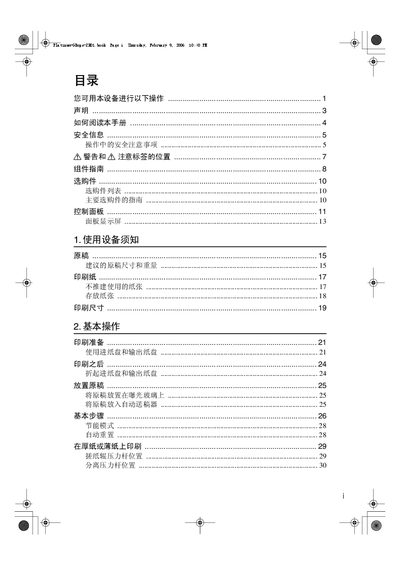
This manual provides step-by-step instructions for operating the Platinum GBope-ZH01 printer, including setup, printing functions, and troubleshooting. It also details safety precautions and technical specifications for the device and its optional automatic document feeder. The guide is written in Chinese with symbols and references to specific pages for detailed information.
| Printing Process | Fully automatic single cartridge system |
|---|---|
| Original Types | Paper / Books |
| Original Size | Maximum 297 mm × 432 mm (11.7" × 17.0") |
| Pixel Density | 300 × 300 dpi (300 × 400 dpi in fine mode) |
| Image Modes | Text mode, Text/Photo mode, Photo mode, Light mode |
| Shrink Ratio | 93%, 77%, 74%, 65% (Imperial); 93%, 87%, 82%, 71% (Metric) |
| Enlargement Ratio | 155%, 129%, 121% (Imperial); 141%, 122%, 115% (Metric) |
| Printing Area | B4 cartridge: 250 mm × 355 mm (9.8" × 14.0") |
| Printing Paper Size | Maximum 275 mm × 395 mm (10.9" × 15.6"), Minimum 90 mm × 140 mm (3.5" × 5.5") |
| Front Margin | 5 mm ± 3 mm (0.2" ± 0.12") |
| Printing Paper Weight | 35 g/m² to 127.9 g/m² (9.3 lb to 34 lb) |
| Printing Speed | 80 – 130 rpm (3 levels) |
| First Copy Time | 32.0 seconds (A4L, 8½" × 11"L) when placing original on exposure glass |
| Second Copy Time | 33.0 seconds (A4L, 8½" × 11"L) when placing original on exposure glass |
| Color Printing | Cartridge unit replacement system (Black, Red, Blue, Green, Brown, Yellow, Purple, Cyan, Sepia, Orange, Duck Green, Gray) |
| Image Position Adjustment | Vertical ±10 mm (±0.39"), Sides 10 mm (0.39") per side |
| Paper Tray Capacity | 1000 sheets (64 g/m², 17 lb) |
| Output Tray Capacity | 1000 sheets (64 g/m², 17 lb) |
| Plate Box Capacity | 30 plates |
| Dimensions (W×D×H) | Storage: 750 mm (29.5") × 676 mm (26.6") × 633 mm (24.9") |
| Weight | 7 kg (15 lb) or less for ADF |
The maximum original size is 297 mm × 432 mm (11.7" × 17.0").
The available image modes are Text mode, Text/Photo mode, Photo mode, and Light mode.
The first copy time is 32.0 seconds when placing the original on the exposure glass.
The printer supports color printing with a cartridge unit replacement system including Black, Red, Blue, Green, Brown, Yellow, Purple, Cyan, Sepia, Orange, Duck Green, and Gray.