
The document contains descriptions of some product features and characteristics, but the specific product information is not clear.
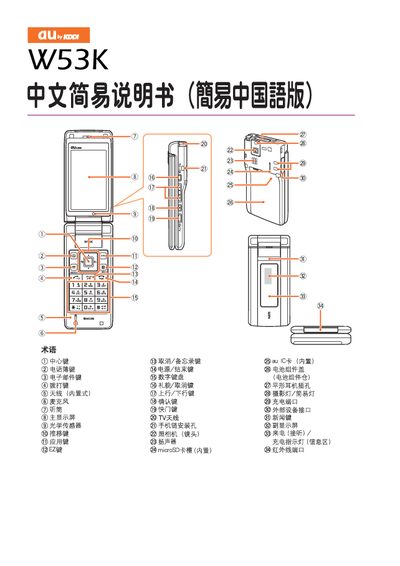
This manual explains how to turn the W53K on and off, set up EZweb default settings, and manage phone functions such as dialing, answering, and adjusting volume. It also covers how to save contacts, send and receive emails, and operate the built‑in camera.
Additional sections describe silent mode, voice message handling, international long‑distance dialing, and other phone features like mute and playback controls. This manual is written in Chinese.
Press and hold the power button for one second.
Press and hold the power button for two seconds.
Enter the country code, area code, and the phone number, for example 212‑123‑AAAA for a US call.